| .github/workflows | ||
| .vscode | ||
| android | ||
| assets/icons | ||
| example | ||
| ios | ||
| lib | ||
| screenshots | ||
| .fvmrc | ||
| .gitignore | ||
| .metadata | ||
| analysis_options.yaml | ||
| CHANGELOG.md | ||
| LICENSE | ||
| map_launcher.iml | ||
| pubspec.lock | ||
| pubspec.yaml | ||
| README.md | ||

Map Launcher






Map Launcher is a flutter plugin to find available maps installed on a device and launch them with a marker or show directions.
| Marker | Navigation |
|---|---|
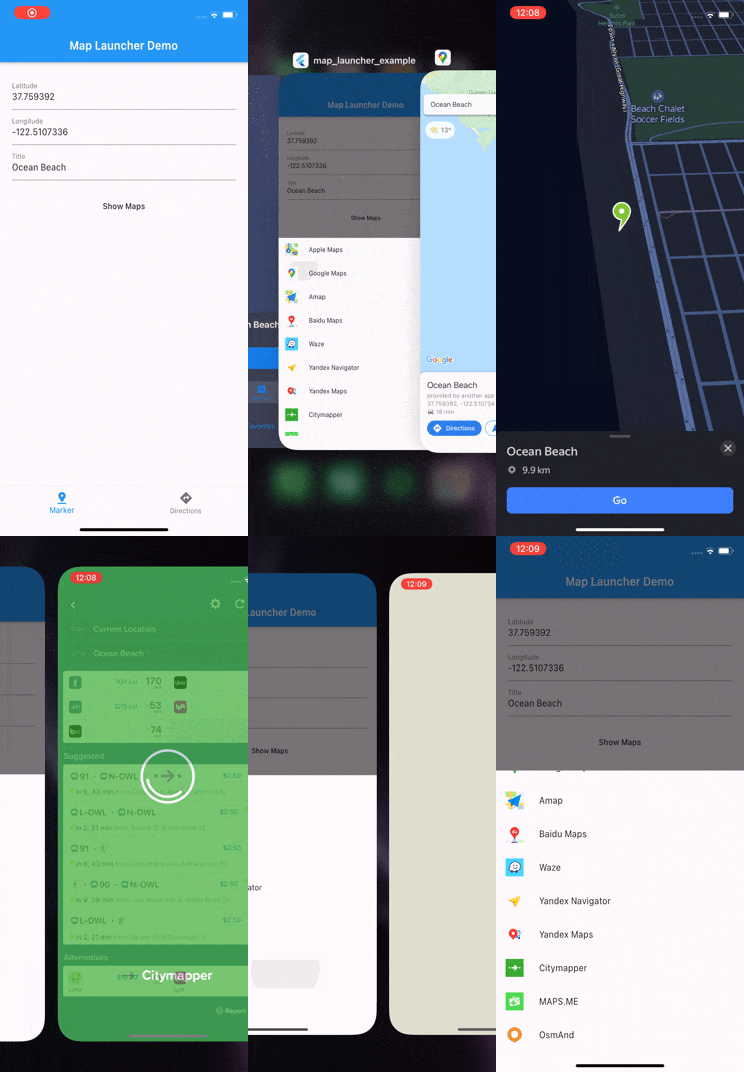 |
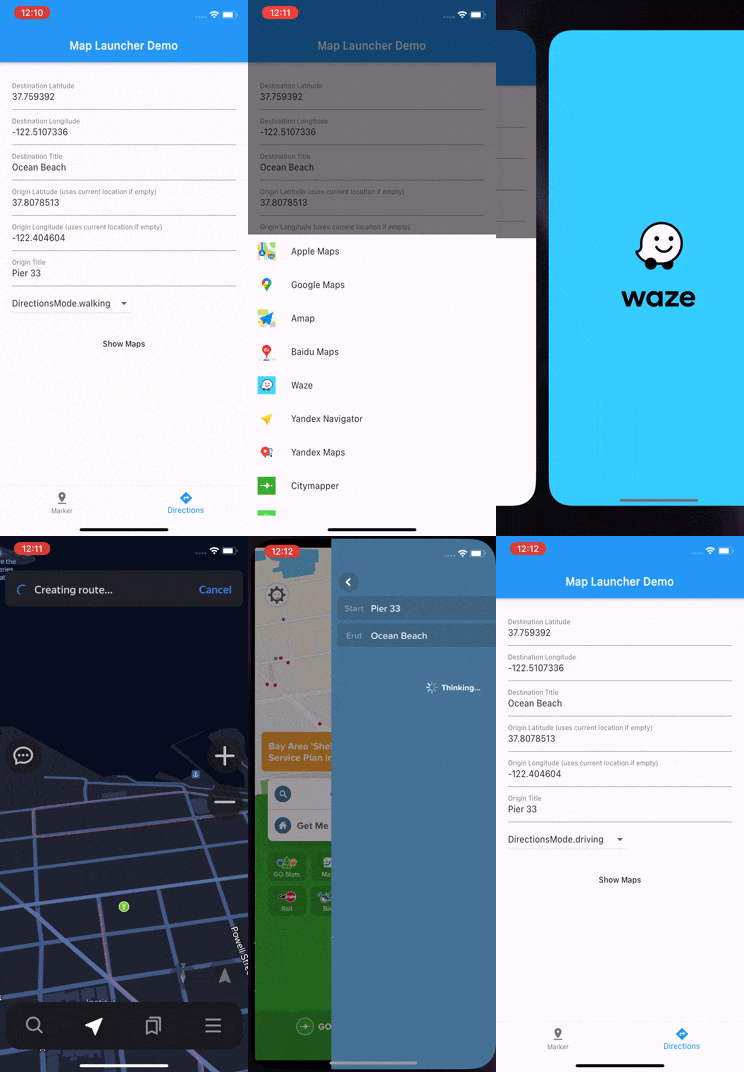 |
Currently supported maps:
 Google Maps
 Apple Maps (iOS only)
Google Maps GO (Android only)
Apple Maps (iOS only)
Google Maps GO (Android only)
 Baidu Maps
 Amap (Gaode Maps)
 Waze
Waze
 Yandex Maps
 Yandex Navigator
 Citymapper
 Maps.me (iOS only)
 OsmAnd
 OsmAnd+ (Android only)
 2GIS
2GIS
 Tencent (QQ Maps)
 HERE WeGo
 Petal Maps (Android only)
 TomTom Go
 TomTom Go Fleet
 CoPilot
 Flitsmeister (Android only)
 Truckmeister (Android only)
 Sygic Truck
 Naver Map
 KakaoMap
 TMAP
TMAP
 Mapy.cz
 Mappls MapmyIndia
Get started
Add dependency
dependencies:
  map_launcher: ^3.5.0
  flutter_svg: # only if you want to use icons as they are svgs
For iOS add url schemes in Info.plist file
<key>LSApplicationQueriesSchemes</key>
<array>
    <string>comgooglemaps</string>
    <string>baidumap</string>
    <string>iosamap</string>
    <string>waze</string>
    <string>yandexmaps</string>
    <string>yandexnavi</string>
    <string>citymapper</string>
    <string>mapswithme</string>
    <string>osmandmaps</string>
    <string>dgis</string>
    <string>qqmap</string>
    <string>here-location</string>
    <string>tomtomgo</string>
    <string>copilot</string>
    <string>com.sygic.aura</string>
    <string>nmap</string>
    <string>kakaomap</string>
    <string>tmap</string>
    <string>szn-mapy</string>
    <string>mappls</string>
</array>
Usage
Get list of installed maps and launch first
import 'package:map_launcher/map_launcher.dart';

final availableMaps = await MapLauncher.installedMaps;
print(availableMaps); // [AvailableMap { mapName: Google Maps, mapType: google }, ...]

await availableMaps.first.showMarker(
  coords: Coords(37.759392, -122.5107336),
  title: "Ocean Beach",
);
Check if map is installed and launch it
import 'package:map_launcher/map_launcher.dart';

if (await MapLauncher.isMapAvailable(MapType.google)) {
  await MapLauncher.showMarker(
    mapType: MapType.google,
    coords: coords,
    title: title,
    description: description,
  );
}
API
Show Marker
| option | type | required | default |
|---|---|---|---|
mapType |
MapType |
yes | - |
coords |
Coords(lat, long) |
yes | - |
title |
String |
no | '' |
description |
String |
no | '' |
zoom |
Int |
no | 16 |
extraParams |
Map<String, String> |
no | {} |
Maps
mapType |
coords |
title |
description |
zoom |
extraParams |
|---|---|---|---|---|---|
.google |
✓ | iOS only see Known Issues section below |
✗ | ✓ | ✓ |
.apple |
✓ | ✓ | ✗ | ✗ | ✓ |
.googleGo |
✓ | ✗ | ✗ | ✓ | ✓ |
.amap |
✓ | ✓ | ✓ | Android only | ✓ |
.baidu |
✓ | ✓ | ✓ | ✓ | ✓ |
.waze |
✓ | ✗ | ✗ | ✓ | ✓ |
.yandexMaps |
✓ | ✗ | ✗ | ✓ | ✓ |
.yandexNavi |
✓ | ✓ | ✗ | ✓ | ✓ |
.citymapper |
✓ does not support marker shows directions instead |
✓ | ✗ | ✗ | ✓ |
.mapswithme |
✓ | ✓ | ✗ | ✗ | ✓ |
.osmand |
✓ | iOS only | ✗ | ✓ | ✓ |
.osmandplus |
✓ | iOS only | ✗ | ✓ | ✓ |
.doubleGis |
✓ android does not support marker shows directions instead |
✗ | ✗ | ✗ | ✓ |
.tencent |
✓ | ✓ | ✗ | ✗ | ✓ |
.here |
✓ | ✓ | ✗ | ✓ | ✓ |
.petalMaps |
✓ | ✗ | ✗ | ✓ | ✓ |
.tomtomgo |
✓ iOS does not support marker shows directions instead |
✗ | ✗ | ✗ | ✓ |
.copilot |
✓ | ✓ | ✗ | ✗ | ✓ |
.flitsmeister |
✓ does not support marker shows directions instead |
✗ | ✗ | ✗ | ✗ |
.truckmeister |
✓ does not support marker shows directions instead |
✗ | ✗ | ✗ | ✗ |
.sygicTruck |
✓ does not support marker shows directions instead |
✗ | ✗ | ✗ | ✗ |
.mappls |
✓ | ✗ | ✗ | ✗ | ✗ |
Show Directions
| option | type | required | default |
|---|---|---|---|
mapType |
MapType |
yes | - |
destination |
Coords(lat, long) |
yes | - |
destinationTitle |
String |
no | 'Destination' |
origin |
Coords(lat, long) |
no | Current Location |
originTitle |
String |
no | 'Origin' |
directionsMode |
DirectionsMode |
no | .driving |
waypoints |
List<Waypoint(lat, long, String?)> |
no | null |
extraParams |
Map<String, String> |
no | {} |
Maps
mapType |
destination |
destinationTitle |
origin |
originTitle |
directionsMode |
waypoints |
extraParams |
|---|---|---|---|---|---|---|---|
.google |
✓ | ✗ | ✓ | ✗ | ✓ | ✓ (up to 8 on iOS and unlimited? on android) | ✓ |
.apple |
✓ | ✓ | ✓ | ✓ | ✓ | ✓ | ✓ |
.googleGo |
✓ | ✗ | ✓ | ✗ | ✓ | ✓ | ✓ |
.amap |
✓ | ✓ | ✓ | ✓ | ✓ | ✗ | ✓ |
.baidu |
✓ | ✓ | ✓ | ✓ | ✓ | ✗ | ✓ |
.waze |
✓ | ✗ | always uses current location | ✗ | ✗ | ✗ | ✓ |
.yandexMaps |
✓ | ✓ | ✓ | ✓ | ✓ | ✗ | ✓ |
.yandexNavi |
✓ | ✓ | ✓ | ✓ | ✓ | ✗ | ✓ |
.citymapper |
✓ | ✓ | ✓ | ✓ | ✓ | ✗ | ✓ |
.mapswithme |
✓ | ✓ | only shows marker | ✗ | ✗ | ✗ | ✓ |
.osmand |
✓ | iOS only | always uses current location | ✗ | ✗ | ✗ | ✓ |
.osmandplus |
✓ | iOS only | always uses current location | ✗ | ✗ | ✗ | ✓ |
.doubleGis |
✓ | ✗ | ✓ | ✗ | ✗ | ✗ | ✓ |
.tencent |
✓ | ✓ | ✓ | ✓ | ✓ | ✗ | ✓ |
.here |
✓ | ✗ | ✓ | ✓ | ✓ | ✗ | ✓ |
.petalMaps |
✓ | ✓ | ✓ | ✓ | ✓ | ✗ | ✓ |
.tomtomgo |
✓ | ✗ | always uses current location | ✗ | ✗ | ✗ | ✓ |
.copilot |
✓ | ✓ | always uses current location | ✗ | ✗ | ✗ | ✓ |
.flitsmeister |
✓ | ✗ | always uses current location | ✗ | ✗ | ✗ | ✗ |
.truckmeister |
✓ | ✗ | always uses current location | ✗ | ✗ | ✗ | ✗ |
.sygicTruck |
✓ | ✗ | always uses current location | ✗ | ✗ | ✗ | ✗ |
.mappls |
✓ | ✓ | ✓ | ✓ | ✓ | ✓ | ✗ |
Extra Params
It's possible to pass some map specific query params like api keys etc using extraParams option
Here are known params for some maps:
mapType |
extraParams |
|---|---|
.tencent |
{ 'referer': '' } |
.yandexNavi |
{ 'client': '', 'signature': '' } |
Example
Using with bottom sheet
import 'package:flutter/material.dart';
import 'package:map_launcher/map_launcher.dart';
import 'package:flutter_svg/flutter_svg.dart';

void main() => runApp(MapLauncherDemo());

class MapLauncherDemo extends StatelessWidget {
  openMapsSheet(context) async {
    try {
      final coords = Coords(37.759392, -122.5107336);
      final title = "Ocean Beach";
      final availableMaps = await MapLauncher.installedMaps;

      showModalBottomSheet(
        context: context,
        builder: (BuildContext context) {
          return SafeArea(
            child: SingleChildScrollView(
              child: Container(
                child: Wrap(
                  children: <Widget>[
                    for (var map in availableMaps)
                      ListTile(
                        onTap: () => map.showMarker(
                          coords: coords,
                          title: title,
                        ),
                        title: Text(map.mapName),
                        leading: SvgPicture.asset(
                          map.icon,
                          height: 30.0,
                          width: 30.0,
                        ),
                      ),
                  ],
                ),
              ),
            ),
          );
        },
      );
    } catch (e) {
      print(e);
    }
  }

  @override
  Widget build(BuildContext context) {
    return MaterialApp(
      home: Scaffold(
        appBar: AppBar(
          title: const Text('Map Launcher Demo'),
        ),
        body: Center(child: Builder(
          builder: (context) {
            return MaterialButton(
              onPressed: () => openMapsSheet(context),
              child: Text('Show Maps'),
            );
          },
        )),
      ),
    );
  }
}
Known issues
-
Fixed in Google maps 11.12 Google Maps for Android have a bug that setting label for a marker doesn't work. See more on Google Issue Tracker
-
On iOS it's possible to "delete" Apple Maps which actually just removes it from homescreen and does not actually delete it. Because of that Apple Maps will always show up as available on iOS. You can read more about it here
Contributing
Pull requests are welcome.